
september-release
We’re excited to introduce several new features and improvements in Bisner that will enhance your booking experience and make managing your space even more efficient. Here’s what’s new in this release:
View VAT Number and Invoice Email in Customer Info
You are now able view the "VAT number" and "invoice email" in the "Customer Info" tab for public bookings if you have permission to see reservation details. This improvement makes it easier to manage billing information directly within the platform, helping you streamline invoicing for customers.

Extended Parking Reservation Period
We’ve extended the parking reservation period from 3 weeks to 52 weeks ahead. Now, you have the flexibility to secure parking well in advance—perfect for businesses planning long-term projects or recurring events. This enhancement ensures smoother planning and eliminates the need for frequent updates to your parking arrangements.

Improved Room Cards and Easier Search for Public Bookings
We’ve updated the room cards with a cleaner design to make browsing for available spaces easier. we’ve also added a search feature, letting you search by date, time, and number of guests. These changes help you find the right room faster and more easily.

New Button to Sync License Plates in Admin View
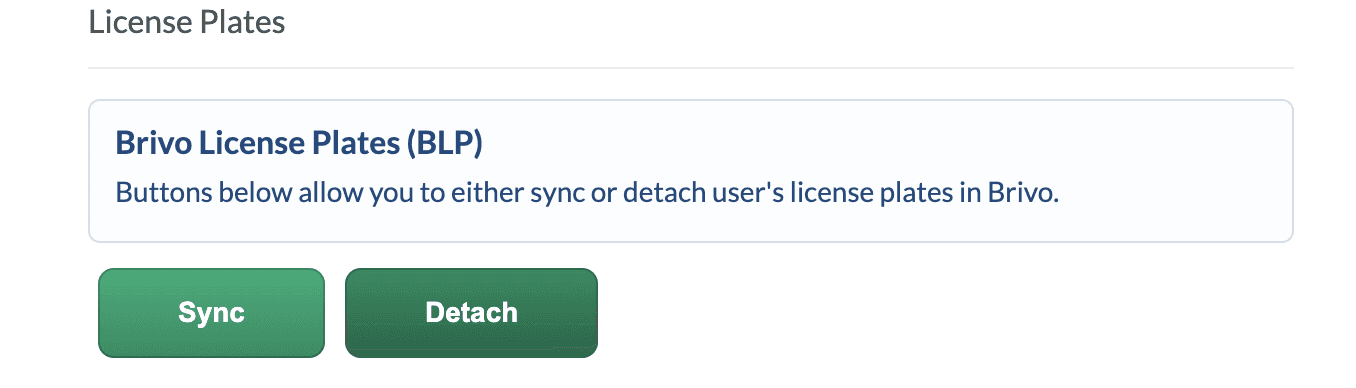
In the admin view of a user’s profile, we’ve added buttons to sync or detach user license plates from Brivo. This streamlines license plate management for administrators, making it easier to manage access and parking permissions for your users directly within Bisner.
These updates are designed to improve usability, simplify the booking process, and enhance the overall experience for both users and administrators. Explore these features today and let us know what you think! Your feedback helps us continue improving your Bisner experience.
Start the conversation
Experience it yourself. Discover how you can get the most out your workplace and community.
Ready to get started?
Explore Stripe Payments, or create an account instantly and start accepting payments. You can also contact us to design a custom package for your business.
Start now
Contact sales
Ready to get started?
Explore Stripe Payments, or create an account instantly and start accepting payments. You can also contact us to design a custom package for your business.
Ready to get started?
Explore Stripe Payments, or create an account instantly and start accepting payments. You can also contact us to design a custom package for your business.